Project notes for working with AI
BRUTO
A raw board for your project tasks. Notes live in the project folder, where you and any AI can read and answer them.
The example opens right away and lives only in this browser.
How it works
Open the folder
Pick your project folder. Bruto creates .bruto/workspace.json inside it, and nothing leaves your computer.
Write tasks
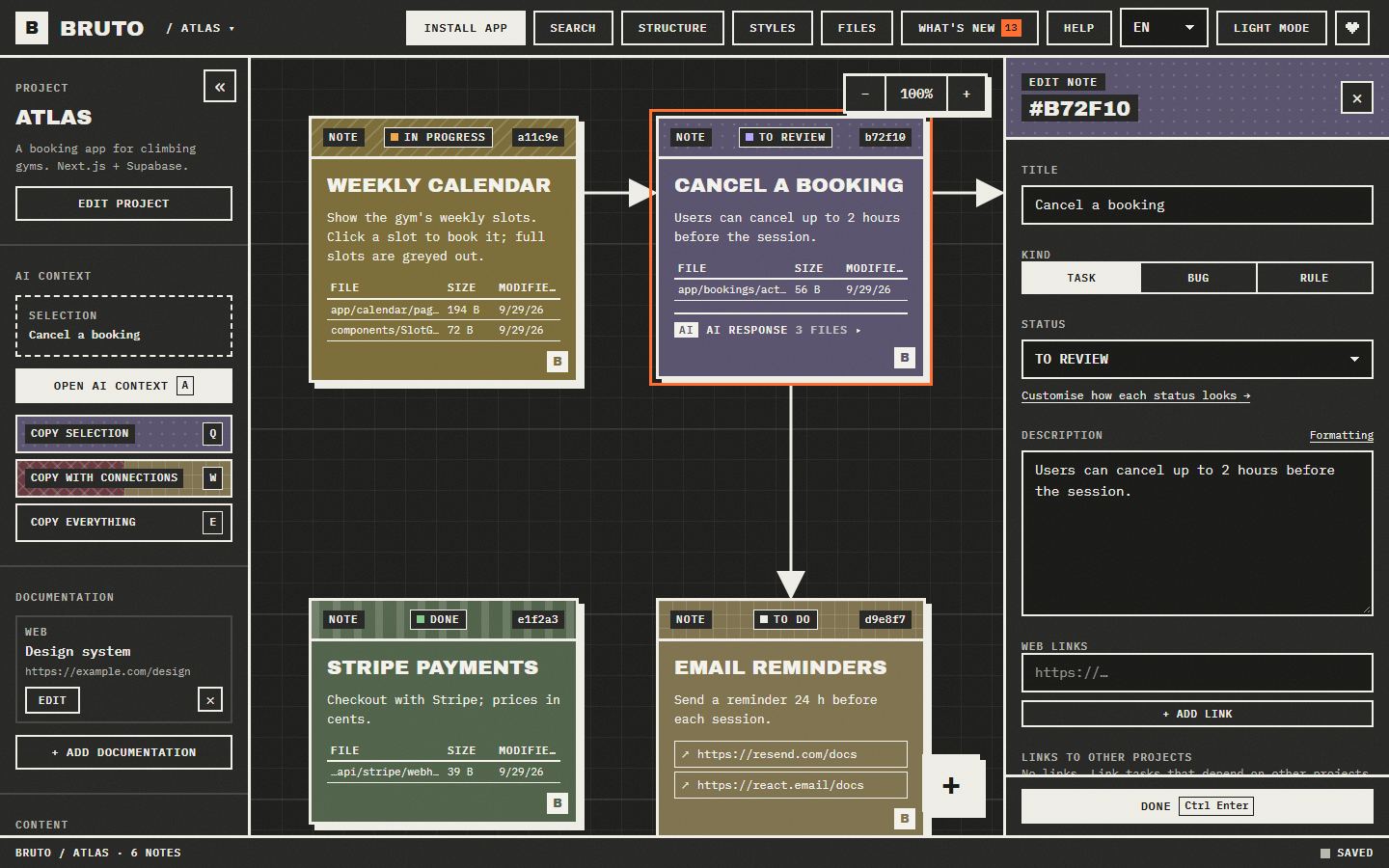
Each note is a task: description, files, links, screenshots and status. Connect them to show how they relate.
Hand them to the AI
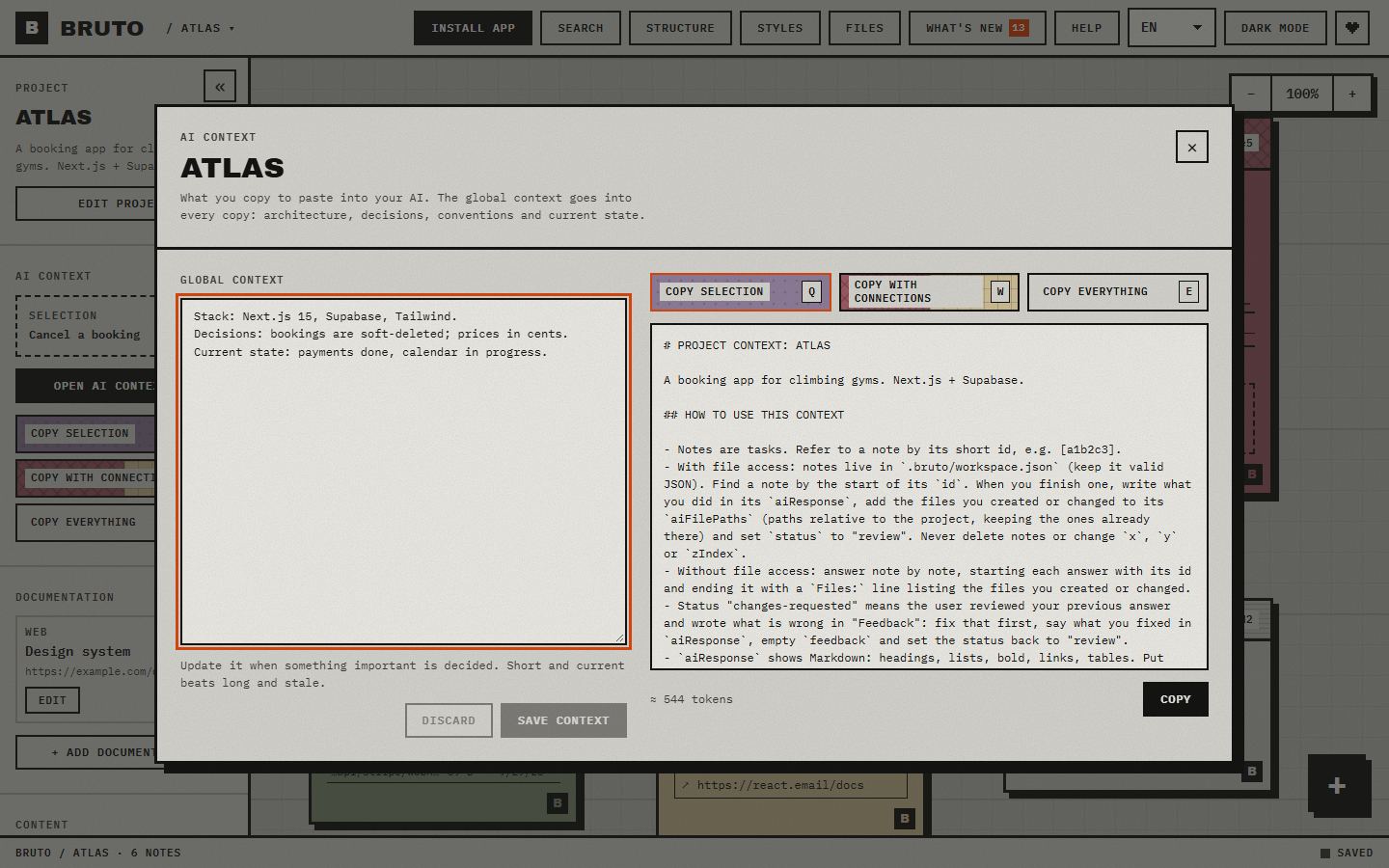
Copy the context with Q, W or E. If the AI can edit files, it answers inside the note and marks it for review.
Review and send back
What the AI answers stays in the note. If something is still wrong, write what and mark it “Changes requested”: it goes back with all its context.
The right context, one key away
Copy the selection, the selection with everything it points to, or the whole project, as clean Markdown with instructions for the model. A preview shows exactly what gets copied and how many tokens it is, and a global context carries your stack and decisions in every copy.
Your project, drawn
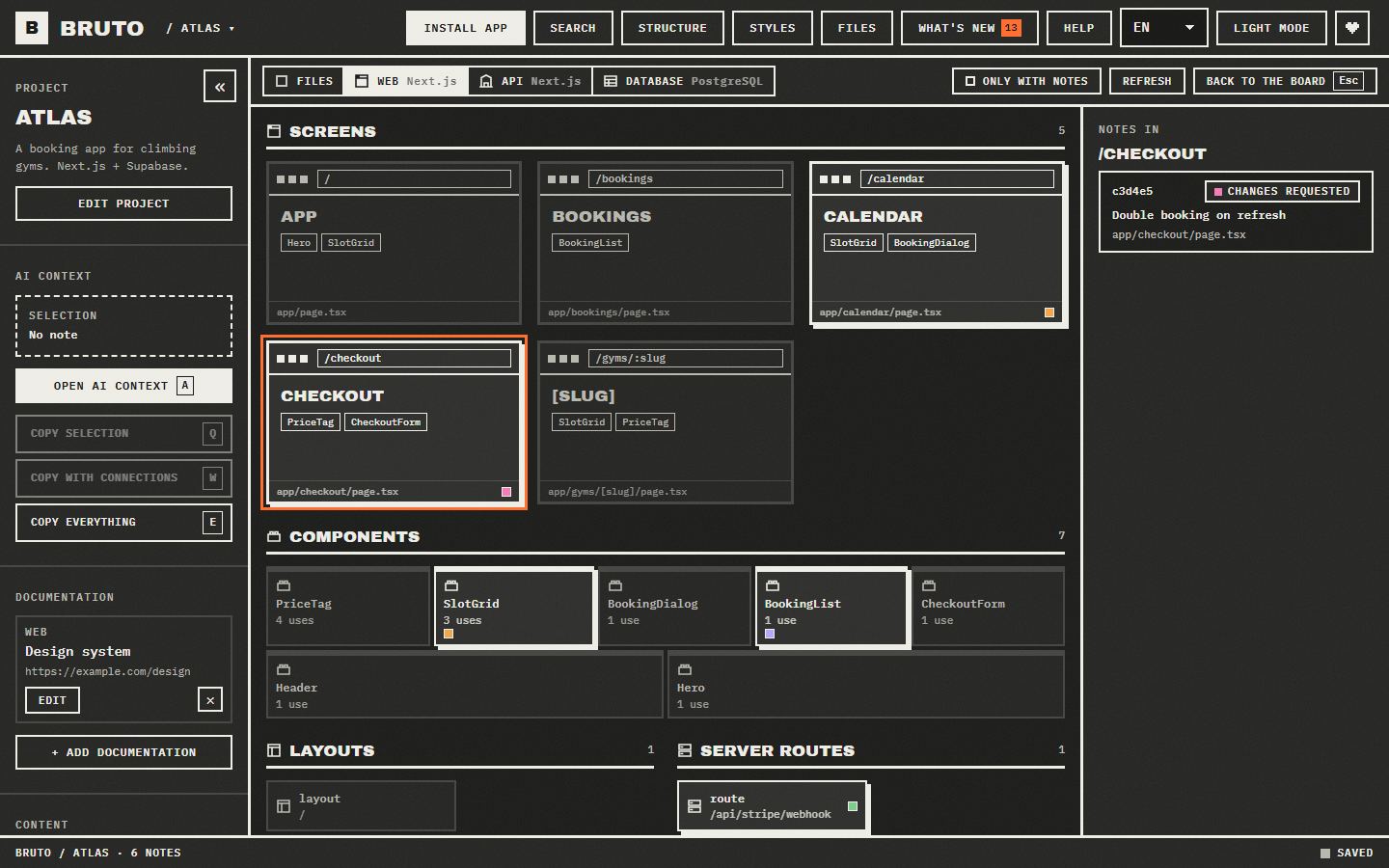
The structure view shows where the work is: folders as blocks, marked with the notes that point at them. When Bruto recognises the project, it draws it for what it is: screens with their components, API resources with their endpoints, tables with their keys and policies.
- Web
- React · Vue · Svelte · Next.js · Nuxt · SvelteKit · Astro · Angular
- API
- .NET · NestJS · Express · Fastify · Next.js · FastAPI · Flask · Spring
- Database
- Oracle PL/SQL · PostgreSQL · Supabase · SQL · Prisma · Drizzle
And also
A real board
Notes with a status, files, links and screenshots. Drag them, connect them with arrows and edit many at once.
Standing rules
A note can be a rule instead of a task: “run the tests before finishing”. It goes into every copy, and the AI applies it on each task until you close it.
Across projects
A note can block, or wait on, a note in another project: front end, API, database. Both boards show it, and one click takes you to the other.
Agents on the board
With the MCP server, Claude Code and other agents list and read notes, mark the one they are on and answer it, without touching the JSON.
Find anything
Ctrl+F searches by text, path or id, and filters by status and by what a note has: files, an AI response, images or a link.
Safe with other tools
Every save reads the file first and merges what changed elsewhere, note by note. A broken file is never overwritten and there is always a backup.
Keyboard first
Every action has a shortcut, notes are reachable with Tab and everything has a name for screen readers.
Nine languages, two themes
Install it as an app, it works offline and tells you when a new version is out.
Local only
No server, no accounts: just anonymous usage stats, no cookies. Your notes never leave your folders.
With any AI
Paste the copy into Claude, ChatGPT, Gemini or DeepSeek, or let an agent with access to your files work on the board directly: one line in AGENTS.md or CLAUDE.md is enough. If your agent speaks MCP, add Bruto as a server: it lists, reads and answers notes with tools, without editing the file by hand.
AGENTS.mdTasks for this project are in `.bruto/workspace.json`. Work on notes whose status is "todo".MCPclaude mcp add --scope user bruto -- npx -y bruto-mcpTry it on your project
Free and open source. Opening your folders needs Chrome, Edge, Brave or Opera on a computer.